LOOKING FOR WORK

Your résumé starts a conversation

Every application carries a QR code in its corner. A recruiter scans it and asks about your work directly, within the slice you opened for that role.

How it works for you
  • Your AI fetches new listings from Greenhouse, Lever, Ashby, RemoteOK, HN Who-is-Hiring and more
  • It drafts a résumé per job from your corpus; nothing is sent until you approve
  • Approving issues an access code and prints its QR on the final PDF
  • You see every conversation the code opens
FOUNDERS & PRODUCTS

One project, a different face for each audience

An investor, a contributor and a first-time user want different things from the same project. Give each a code, or a microsite, scoped to what they need.

How it works for you
  • Access codes scoped by role, with quotas and expiry
  • Microsites you write in React, built and hosted on your instance
  • Embed the conversation in the site you already have
  • Bookings and email through the calendar and mail you connect
THINKERS & WRITERS

Your thinking, without turning it into posts

You think in conversations, not essays. Keep what is worth keeping; readers can follow a thread by asking instead of scrolling an archive.

How it works for you
  • Capture from Claude, Cursor or any MCP client as you think
  • raw → wiki → output: rough thoughts stay private until you refine them
  • Import an Obsidian vault; your files stay the ones you edit
  • Math, diagrams and citations render as written
AGAINST WHAT YOU USE TODAY

What each format
can and can’t do.

Most introductions are a document someone has to read end to end. StandMeet is the only one here that can be asked.

StandMeetRésumé / LinkedInBlogPersonal siteCustom GPT
A visitor can ask a question●○○○●
Answers cite your own words●———partly
Different audiences see different slices●○○○○
Captures thinking without writing posts●○○○○
You own the data and the server●○depends●○
You see who asked what●partly○○○
THE REAL THING

What it looks like
from both sides.

Screens from StandMeet’s own end-to-end test runs, not mock-ups.

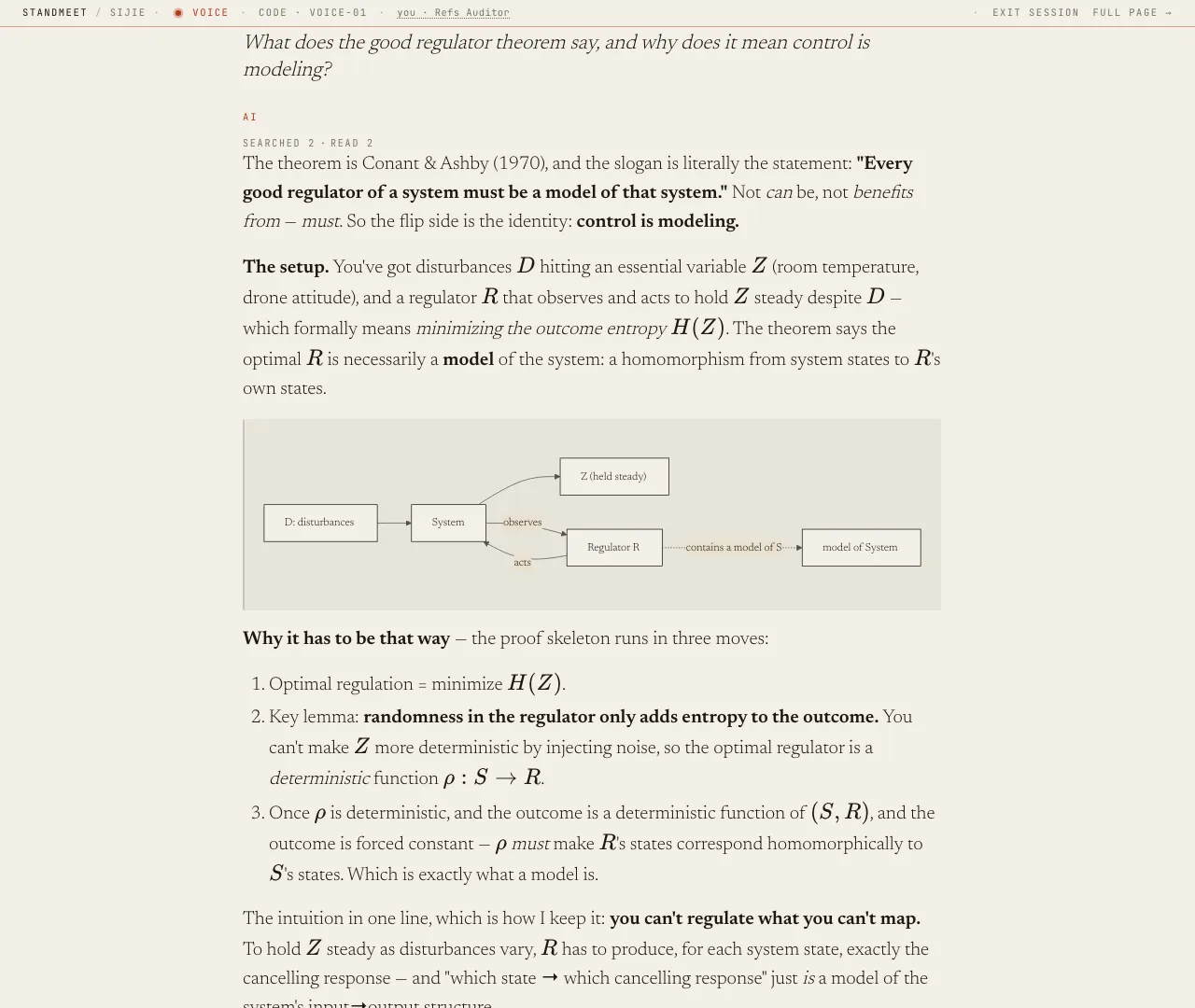
A StandMeet visitor conversation: a question about the good regulator theorem answered with formulas and a diagram
A visitor’s question, answered from the corpus — with math, a diagram and the notes it read.
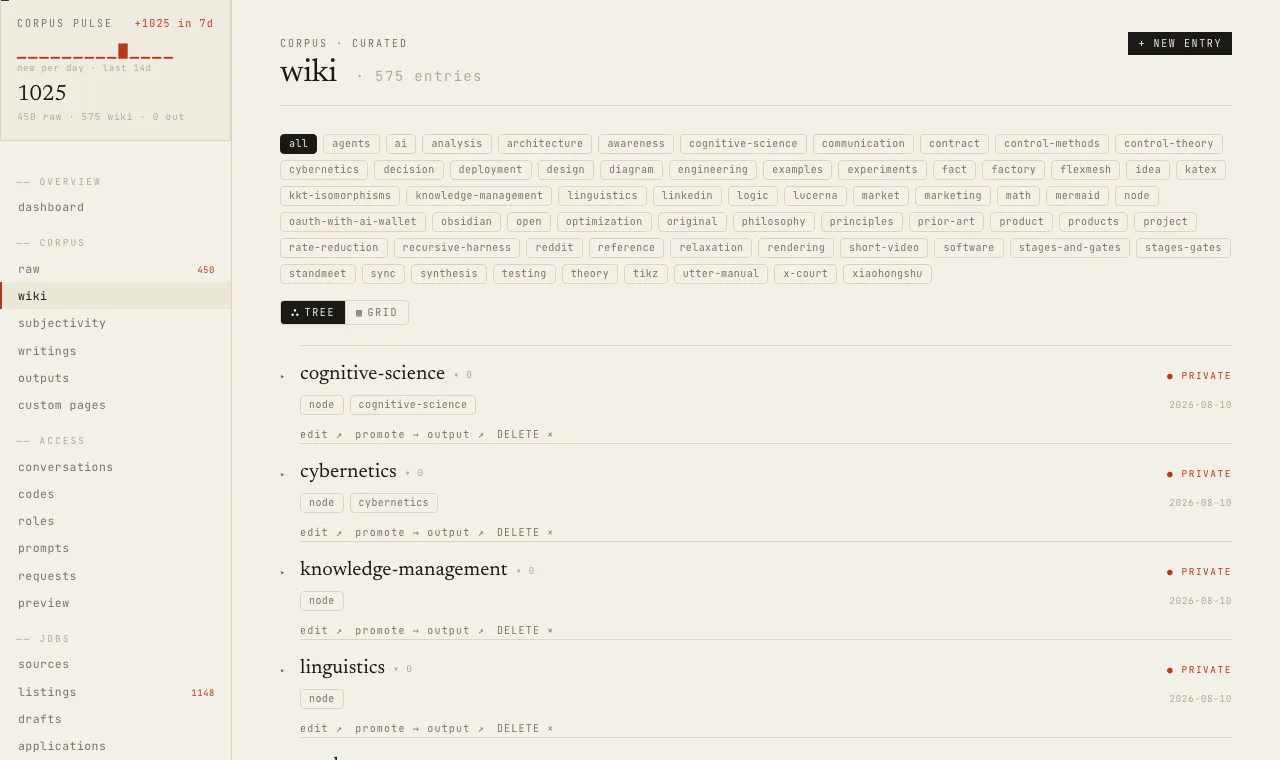
The StandMeet admin wiki view with a corpus activity sparkline, tag filters and private entries
The owner’s wiki: every entry, its tags, and whether it is public or private.
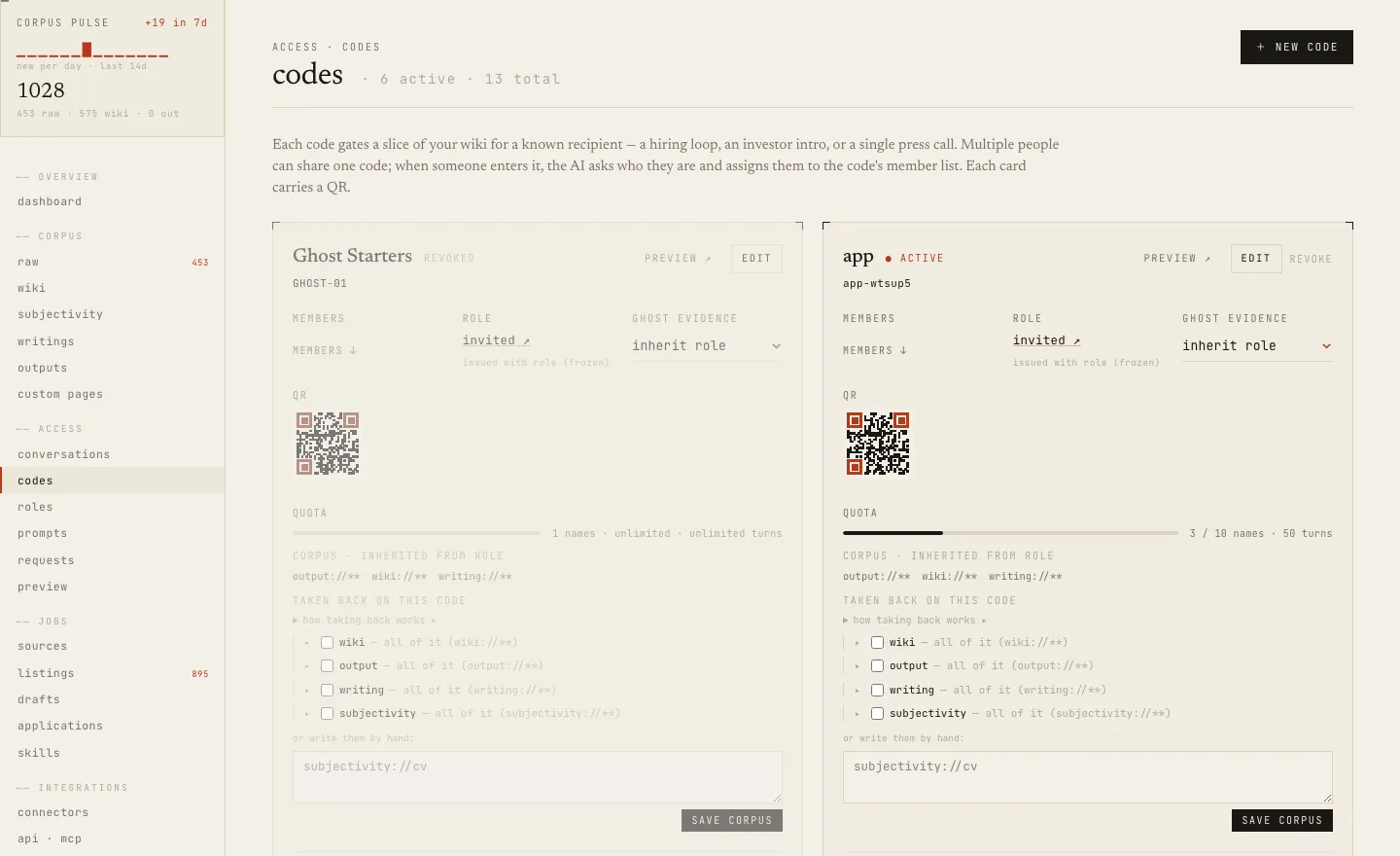
The StandMeet admin access-codes page with QR codes, quotas and corpus scopes
Access codes: a QR per code, a role deciding what it reads, quotas and expiry.
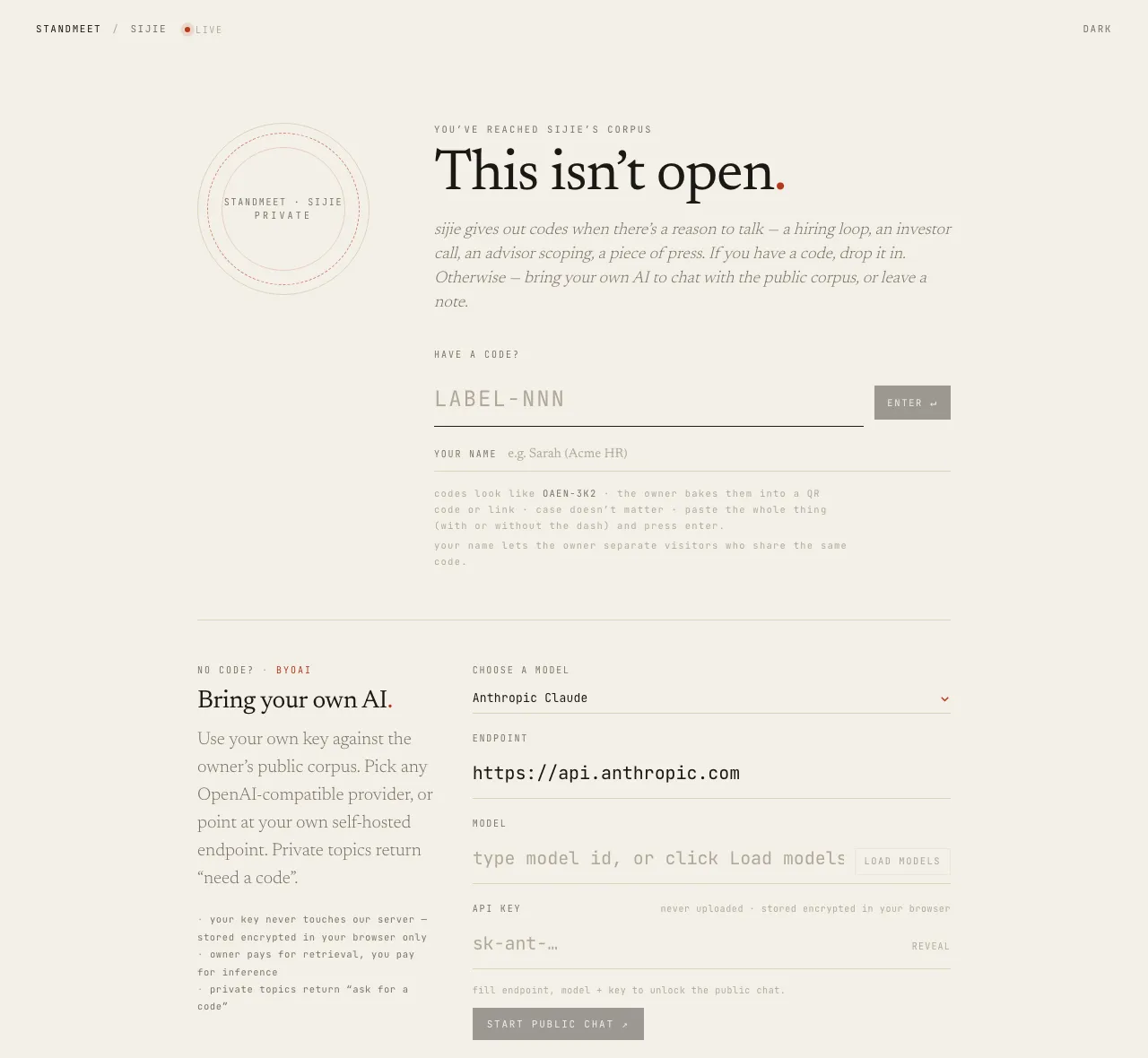
The StandMeet gate page with a code input, a bring-your-own-AI panel and a request-access note
A visitor without a code: enter one, bring their own AI, or leave a note.
STANDMEET

Don’t just hand over a business card.
Leave a question worth asking.

See what a real encounter looks like first. If you want a page like this for yourself, the self-hosting guide is on GitHub.